Phone deposits are charged to a mobile bill or prepaid balance, unlike card payments, which draw on funds available through a bank card.
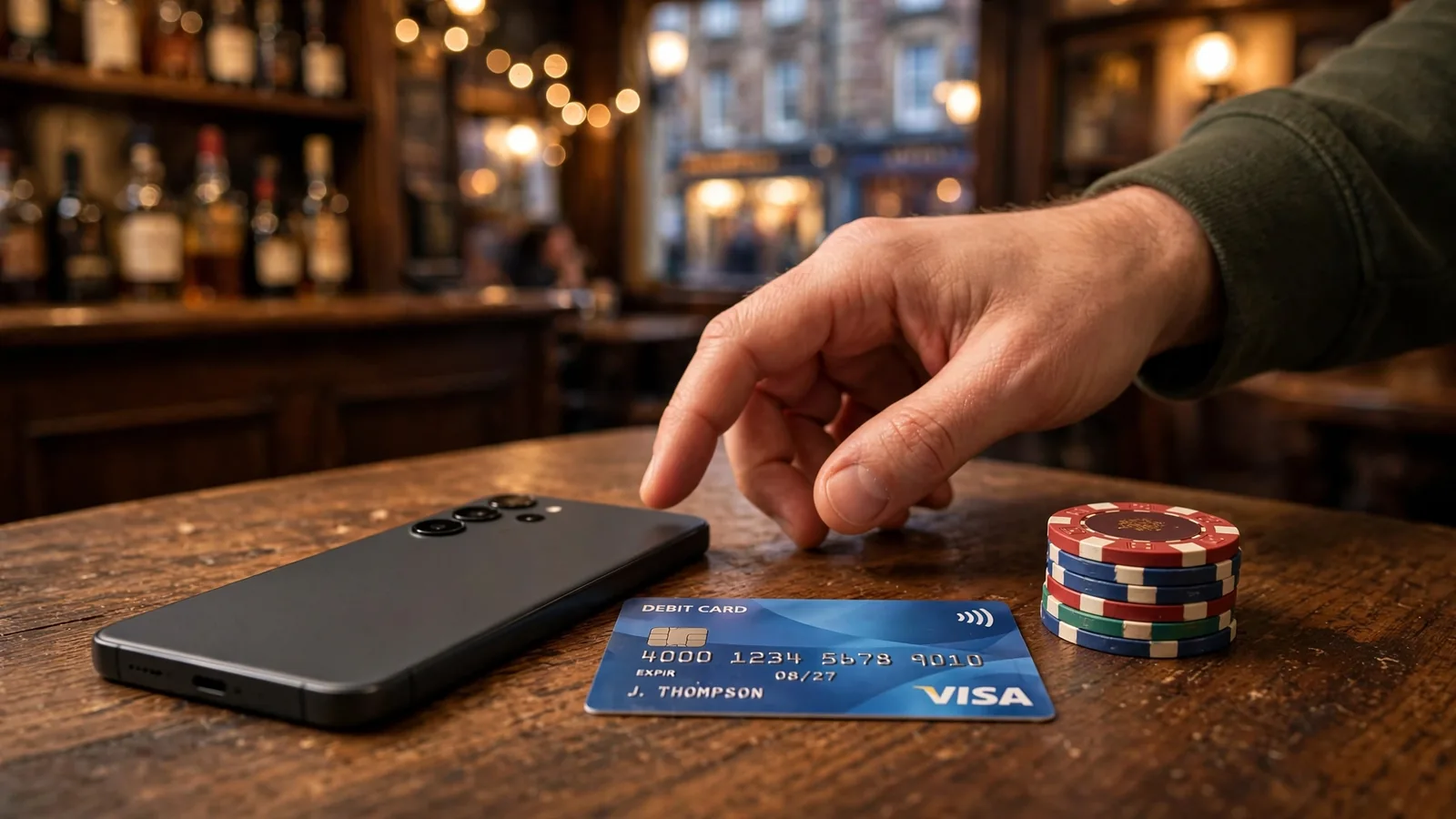
How Phone-Bill Casino Deposits Differ from Other Payment Routes
A casino top-up by phone uses a different source of funds from a card payment. With Payforit, the deposit is charged either to your monthly mobile bill or to the prepaid balance on a pay-as-you-go phone. A debit-card payment instead draws on the funds available through your bank card. The distinction is not just which device you use: it is which account or balance ultimately pays for the deposit.
That difference matters when you are deciding whether to top up a casino by phone or choose another route. A phone-bill deposit links the gambling transaction to your mobile account. A card deposit links it to your bank account. Neither description tells you whether a particular casino supports that route or what terms it applies; those details depend on the payment options presented to you.
Phone billing is not the same as paying by card
Paying by phone does not mean entering a card number on a mobile screen. In a phone-bill transaction, the charge is associated with your mobile service or prepaid phone credit. If the phone account is on a monthly contract, the amount is added to a future bill; with pay-as-you-go, it comes out of the credit already held on the phone.
A debit card works differently. The payment is made from a bank account through the card network, rather than being collected by the mobile provider. A specialist review describes debit-card deposits at UK casinos as free and more widely accepted than Payforit. That is a comparison reported by a review, not a guarantee about every operator: the relevant cashier determines which methods are available and what charges, if any, apply to your account.
The practical point is to identify the funding source before confirming a payment. If the transaction is billed through your phone, it is not a debit-card payment merely because you selected it while using a smartphone. Likewise, using a bank card on a phone does not make the deposit a pay-by-phone transaction.
Credit cards are not an alternative route
Credit cards must be distinguished from debit cards. In Great Britain, a remote gambling operator cannot accept a credit-card payment for gambling. The restriction also applies if the payment is routed through a money service business: adding an intermediary does not turn a credit-funded gambling payment into an acceptable route.
Anonymous Crypto Casinos in the UK: Privacy Explained
This means you should not treat a credit card as a fallback when a phone-payment option is absent or unavailable. Nor should you try to pass credit-card funds through another payment service to reach a gambling account. The restriction concerns the source and route of the funds, not whether the casino’s cashier displays a familiar payment brand.
A debit card is a different product because the payment draws on money in a bank account rather than borrowing through a credit facility. The distinction is important when choosing a card in a cashier: check that it is a debit card, not a credit card. If you are unsure which type of card you hold, confirm it with your card provider before making a gambling payment.
What the payment route changes
A phone-bill deposit and a bank-card deposit may both add funds to a casino balance, but they do not draw on the same pool of money. A phone-bill payment uses mobile account billing or prepaid phone credit. A debit-card payment uses the bank account linked to the card. The route therefore affects where you need to look to understand the charge: your mobile account for a phone-billed payment, or your bank account for a debit-card payment.
This distinction can also help you avoid confusing payment terms. “Pay by phone” refers to charging through a supported phone-payment arrangement; it does not mean that every deposit made on a mobile device is a phone-bill deposit. “Pay by card” refers to the card used to fund the transaction, whether you are on a phone, tablet or computer.
Before proceeding, make sure the method shown is the one you intend to use and that its funding source is clear to you. Do not infer that a method is supported because it appears at another casino, or that a phone-based option will be available simply because you are using a mobile device. A phone-bill route, a debit card and a credit card are separate payment categories, with different funding sources and, in the case of credit cards, a specific restriction for online gambling.
Credit Card Ban
In Great Britain, remote gambling operators cannot accept credit-card payments for gambling, regardless of whether an intermediary is used.
Our top casino picks for the UK
- DieselwinBonus: Welcome Pack 250% up to £4000 + 200 FS · Payout speed: 1-3 business days
- SpinFormulaBonus: 550% Up To £15,000 + 550 FS · Payout speed: 1-3 business days
- x3betBonus: Welcome Pack 100% Up to £1.000 + 200 Free Spins · Payout speed: 1-3 business days
- BeOnBetBonus: 100% up to €500 + 100 FS · Payout speed: 1-3 business days
- BritsinoBonus: Welcome Package – Get your £2,200 + 2,000 FS · Payout speed: 1-3 business days
- ChanzeBonus: Slots Welcome Bonus #1 200% up to €500 · Payout speed: 1-3 business days
- SlotoSportBonus: 500% up to £ 10 200+ 777 FS · Payout speed: 1-3 business days
- WinBeastBonus: €5000 + 500 FS + €650 Freebet · Payout speed: 1-3 business days
- Revery PlayBonus: 100% up to€1,000+ 100 FS · Payout speed: 1-3 business days
Paying into an Online Casino with Your Phone
To make an online casino deposit from a phone, start in the casino’s cashier rather than assuming that a mobile site or app supports payment by phone. The cashier is the account’s payment interface: it shows the deposit methods the operator makes available to you at that point. If a phone-based option is not listed there, you cannot select it for that deposit through the cashier.
This distinction matters because seeing a casino website on a mobile screen does not mean you can fund the account through your phone account. A phone can be the device you use to access the cashier while the payment itself is made by another method. For an online casino top-up by mobile, look for a clearly named pay-by-phone option among the methods shown after you sign in.
Check the cashier for your account
Open the cashier while logged in and select the deposit area. Read the options displayed for your account, not just a general payment page or an old description of the casino. Payment availability can depend on what the operator currently offers in its cashier, so a method mentioned elsewhere should not be treated as available until you can see and select it there.
If a phone-payment option appears, check that it is presented as a deposit method and that the cashier allows you to continue with it. If it does not appear, do not try to select a different method on the assumption that it will produce the same result. The listed option determines how the transaction can be started; the name of the casino or the fact that you are using a phone does not.
Casinos That Accept Upaycard in the UK
The cashier can also show account-specific terms. Before you proceed, check the minimum deposit, maximum transaction value and any fee displayed for the selected method. These details matter at the point you choose how to fund the account: a method may be visible, but the amount you intend to deposit still needs to fit its current terms. Do not rely on figures saved from a previous visit, because the cashier is where you can review the terms presented for the transaction you are about to make.
Complete the account checks first
A remote casino must verify your age before it allows you to deposit. If you have not completed the operator’s required checks, the cashier may not let you proceed. Follow the account prompts and make sure the details associated with your account are correct. This is part of establishing that the deposit is being made through your own casino account, rather than simply a question of which payment option appears on screen.
New customers must also be prompted to consider a financial limit before making their first deposit. Treat that prompt as part of the deposit decision, not as an optional detail to dismiss automatically. Choose a limit that reflects what you can afford to spend, and check the account’s limit controls so you know where they can be accessed later. Those facilities must remain available after the first deposit; you should be able to return to them through your account rather than having to rely on the original prompt.
Do
- Check the cashier for available methods
- Review minimum and maximum limits
- Set a financial limit before depositing
Don’t
- Assume a method is available because you use a phone
- Rely on outdated figures from reviews
- Dismiss the financial-limit prompt
If the cashier offers a phone-based deposit, you can still pause before selecting it. First establish that you are comfortable with the amount, understand the displayed terms and have considered your financial limit. If the terms are unclear, do not infer them from the method’s name. Use the information in the cashier or the operator’s account help to clarify what will happen before continuing.
When no phone option is shown
If you cannot find a pay-by-phone choice, check that you are in the deposit section of the cashier and that you are viewing the options for the account you intend to use. If the option remains absent, treat it as unavailable for that transaction. Do not enter payment details into an unrelated method or assume that a mobile browser will reveal a hidden phone-top-up route.
You can then review the other methods actually listed in the cashier and decide whether one suits you. The important point is that the payment route comes from the available account options, not from the device used to reach the casino. A phone top-up is possible only when the cashier presents the relevant option and allows you to proceed under its current terms.
Before leaving the cashier, make sure you have not skipped the financial-limit prompt or overlooked the account controls. Checking the method and its terms first lets you decide whether to deposit at all, rather than treating the appearance of a payment button as a reason to continue.
What a Mobile Casino Top-Up Can and Cannot Do
A mobile casino top-up through Payforit is a way to add money to a casino balance. Its job ends at the deposit: it does not provide a route for sending casino funds back to your phone account. That distinction matters when you decide whether the method suits the full payment cycle, rather than just the initial payment.
Casinos That Accept USDC in the UK: Payment Checks
The amount you can add is constrained. A specialist review describes Payforit deposits as having a minimum in the £3–£5 range, while the Phone-paid Services Authority sets a £30 ceiling for a single transaction. The minimum is not a universal figure: the casino’s cashier determines the amount it will accept, and you need to check the displayed terms before proceeding. The £30 cap is a per-transaction limit, not a promise that every casino will allow a deposit at that level.
These boundaries shape what the method is useful for. It can cover a modest deposit when Payforit is offered and the amount falls within the cashier’s permitted range. It is not suitable for a larger single payment than the transaction cap allows. Nor should you assume that repeating transactions is a way to bypass that cap; the relevant limit applies to each transaction, and you should follow the cashier’s stated conditions rather than trying to work around them.
The word “top-up” can make the method sound like a general-purpose way to move money in both directions. It is not. Payforit can fund a casino balance, but it cannot be selected later to withdraw winnings or return unused funds. Depositing through it therefore does not establish that the same payment route will be available when you want to cash out.
That one-way function is important before you deposit. Think of Payforit as a funding option, not as a complete account-payment solution. If you might need to withdraw later, check the casino’s available payout routes and account requirements separately. Do not infer that a method shown for deposits also appears in the withdrawal cashier.
Payforit is a one-way funding option; it can be used to add money to a casino balance but cannot be used to withdraw winnings or return unused funds.
The deposit limit also affects how you plan the amount. If the minimum shown by the casino is higher than the amount you intended to add, the method may not fit that deposit. If the amount you want to add exceeds the permitted transaction maximum, Payforit cannot process it as one transaction. The cashier’s live terms are the relevant guide to the amount accepted on your account; the range reported by a review should not replace that check.
A capped payment route can be useful when the intended deposit is within its permitted range, but it narrows the choices available for larger payments. That is a practical limit, not a reason to raise your planned spend. Set an amount that fits your budget first, then see whether the method supports it. If it does not, you can decide whether another payment option shown in the cashier is appropriate, rather than changing the amount simply to make Payforit work.
There is also a difference between a method being capable of making a deposit and being suitable for every casino account. Payforit must be available to you in the cashier, and the amount must meet that operator’s current terms. The payment route does not remove other account conditions, and it does not guarantee that a particular deposit will be accepted.
Treat the stated figures as boundaries to verify, not as a substitute for the transaction details presented when you pay. In particular, distinguish the £30 single-transaction cap from the casino’s own minimum and maximum settings. The former limits the size of one Payforit transaction; the latter determine what the selected cashier will accept. If those conditions do not match the amount you intend to deposit, choose a different option available to your account or do not proceed.
UK casino sites that accept EcoPayz: payment guide
In short, Payforit can add a limited amount to a casino balance, subject to the displayed minimum and the per-transaction cap. It cannot withdraw casino funds, and a deposit does not confirm that Payforit will be available for payouts. Those are the core boundaries to understand before treating a mobile top-up as part of your casino payment arrangements.
SMS Confirmation: What Happens Before a Deposit Is Credited
A mobile casino top-up by SMS has a confirmation stage between choosing the payment option and the casino receiving the deposit. The details depend on whether the cashier uses Payforit or Boku. In both cases, the phone is involved in authorising the payment, but the steps are not identical.
Payforit: enter a number, then submit a code
With Payforit, you select the method and enter your mobile number in the payment form. A confirmation code is then sent to that number by SMS. To complete the deposit, you enter the code in the requested field and submit it.
The sequence matters: selecting Payforit and entering a number starts the process, but the code is the step that confirms it. If you do not receive the message, cannot access the number, or do not submit the code, the confirmation sequence has not been completed. Do not assume that merely opening the payment form has credited the casino balance.
Check that the number entered is the one you can receive messages on. If a code arrives, use it only in the payment flow you started. If the page does not recognise the code, avoid repeatedly beginning new payment attempts before checking the on-screen status; more than one unfinished attempt can make it harder to tell which request you are confirming.
Payforit Deposit
Enter mobile number
Select Payforit in the cashier and enter your mobile number in the payment form.
Receive SMS code
Wait for a confirmation code to be sent to your mobile number via SMS.
Submit confirmation
Enter the received code into the requested field and submit it to complete the deposit.
Boku: confirm the transaction by SMS
Boku also requires confirmation by SMS, but its described flow is centred on approving the transaction rather than entering a Payforit-style code. You receive a request to confirm the payment and must respond as instructed before the funds move. Until that response is made, the transaction has not passed the confirmation step.
Read the message and the casino screen together. The amount and payment request should correspond to the transaction you initiated. If they do not match, do not confirm. If you decide not to proceed, leave the request unconfirmed rather than approving it and expecting the deposit to be cancelled afterwards.
A Boku payment can fail even when you have followed the confirmation instructions. Some specialist payment-method reviews note that the available phone credit must cover both the deposit and any network fee for the transaction to succeed. A mobile network may apply a processing fee, and its amount can vary with the network and tariff. That means credit equal to the deposit amount alone may not be enough.
If the confirmation is rejected, check whether the available credit could cover the full charge, including a possible fee, before trying again. Do not assume that a failed attempt has been accepted just because you sent the SMS response; look for the transaction status in the payment flow.
What the two confirmation steps tell you
Payforit asks you to provide a mobile number and then submit a code sent to it. Boku asks you to confirm the transaction by SMS before funds move, and the available credit must cover the deposit plus any applicable network fee. In either flow, the SMS is part of the payment authorisation, not simply a notification that the casino has already credited your account.
Casinos That Accept Ukash in the UK: What to Know
Follow the instructions displayed for the method you selected. If the message does not arrive, the response is not accepted, or the transaction status is unclear, pause rather than assuming the deposit succeeded. Check the payment screen for its status before starting another attempt.
Which Casino and Slot Cashiers Show Phone-Payment Options
Payforit is not a standard option across every UK casino cashier. A payment method may appear at one operator but not another, and its availability can also depend on the account or the cashier view you are using. Treat a reference to a casino accepting phone top-ups as a reason to check, not as confirmation that you can use the method now.
A specialist casino review identifies Kwiff, NetBet, JackpotJoy and Virgin Games as operators where Payforit remains available in the cashier. This is a starting point for checking mobile top-up casinos, not a substitute for opening the payment page yourself. The operator may change its payment options, so confirm that Payforit is displayed after signing in and before you begin a deposit. If it is not shown for your account, do not assume that another account, device or general operator page will offer it.
The cashier is the practical test for mobile top-up slots as well as casino games: the payment route belongs to the operator account, not to a particular slot. A game does not make Payforit available if the cashier does not list it. Conversely, seeing the option in a cashier does not mean that every promotion or account feature accepts deposits made through it.
Attention Most UK casinos exclude Payforit deposits from welcome bonuses and other promotional offers.
Check the cashier while signed in, using the account you intend to fund. Look for Payforit by name among the displayed deposit methods, and read the terms attached to that option. Do not infer availability from a general payment-method list, an old review or a page describing the operator’s services. Those references may not reflect the current options shown to you. If the method is missing or the terms are unclear, use the operator’s current payment information rather than proceeding on an assumption.
Promotions need a separate check. Specialist reviews report that most UK casinos exclude Payforit deposits from welcome bonuses and other promotional offers. The cashier or promotion terms should tell you whether a particular offer applies to this deposit route. If Payforit is excluded, making the deposit through it may not qualify for the promotion; having an offer visible on your account does not by itself establish that every payment method is eligible. Check the offer’s payment conditions before depositing, especially if eligibility affects your decision.
The same distinction matters when looking for slots mobile top-up options. A casino may provide access to slots while its cashier offers only selected payment methods, and promotional eligibility can differ from ordinary access to the games. Confirm the payment option and its terms at the point of use instead of relying on the presence of a slot lobby or a third-party listing.
In short, operator names can help narrow down where to look, but only the current cashier can confirm whether Payforit is available to your account. Check the method there, then check the relevant promotion terms independently.
TRON (TRX) Casino Comparison for the UK
Before You Confirm a Mobile Slot Deposit
Before you approve a deposit, read the terms shown in the casino’s current cashier. Do not rely on a limit or fee displayed in an older review, saved page or previous transaction: the available terms can change, and the cashier is where you can check what applies to your account now.
Check the minimum deposit and the maximum transaction value for the selected method. These figures determine whether the amount you intend to deposit can be accepted in one transaction. If it falls outside the displayed range, do not assume the cashier will adjust it automatically; review the options it presents before continuing.
Look for any fee and confirm how it affects the amount charged and the amount credited to your casino balance. If the wording is unclear, pause rather than treating the deposit amount as the full cost. A mobile top-up should fit both the cashier’s terms and the spending limit you have chosen for yourself.
Financial-limit controls are a separate check from the payment method’s transaction range. Before making a first deposit, a new remote customer must be prompted to consider setting a financial limit. Take that prompt seriously: decide what you can afford to spend, and set a limit before proceeding if appropriate. The account must also provide access to its limit facilities afterwards, so you can review or manage them rather than treating the initial decision as a one-off step.
Before confirming, check the account’s current limit settings as well as the cashier’s minimum, maximum and fee information. A transaction can fit the payment method’s range and still exceed the amount you have decided to spend. If the proposed deposit would do that, do not proceed simply because the payment screen accepts the amount. Change the amount or stop.
Final Deposit Check
- Verify the minimum and maximum transaction values
- Check for any applicable processing fees
- Confirm the amount fits your personal financial limit
- Review the final payment summary before authorising
Finally, make sure the selected method and amount are the ones you intended. Review the final payment summary before authorising it, and continue only when the displayed terms and your account limits are clear. These checks help you distinguish what the cashier will accept from what you have chosen to spend.
Where the Charge Appears on Your Phone Account
With Payforit, the funding source depends on how your mobile service is billed. A monthly contract and a pay-as-you-go account handle the same casino deposit differently: one places the charge on a later phone bill, while the other takes it from credit already loaded onto the phone.
Monthly contract
If you use a contract phone, the Payforit deposit is added to a future bill from your mobile provider. It is therefore a charge on the phone account, not a card payment taken directly from your bank account at the time you fund the casino account. When you review your bill, look for the phone-paid charge and account for it alongside your other mobile costs.
The deposit still increases the casino balance separately. The amount shown in the casino account represents funds credited there; the phone bill records how the payment was funded. These are two different account records, even though they relate to the same transaction.
Pay as you Go
With pay-as-you-go, there is no later contract bill to settle for the deposit. Payforit takes the amount from the prepaid mobile credit available on the account. That means the phone balance is the funding pool: using it for a casino deposit reduces the credit left for other phone use.
A deposit can only draw on the relevant phone billing arrangement. It does not convert contract billing into prepaid credit or add funds to a pay-as-you-go account. If you use more than one mobile number or service, consider which account is actually being charged before treating a phone balance as available for other purposes.
Keep the two balances distinct
A casino balance and a mobile account balance are not interchangeable. The casino balance shows what has been credited for gambling; your mobile account shows either a charge to be settled on a future bill or a reduction in prepaid credit. Checking the phone account helps you understand where the cost sits, while checking the casino account shows whether the deposit has been reflected there.
This distinction matters when you plan spending. A contract charge may not be paid from your bank account until the phone bill is settled, but it remains an amount you owe under that billing arrangement. A pay-as-you-go charge uses credit you have already loaded. In either case, the payment is funded through the mobile account rather than a debit card transaction.
What Happens When You Try to Withdraw After a Phone Top-Up
A phone top-up is a way to put money into a casino balance, not a route for taking winnings out. Payforit cannot process casino withdrawals, so do not assume that money deposited from your mobile account can return to it. Before using slots that accept a top-up by mobile, identify how you could receive a withdrawal if you win.
Available withdrawal routes
A UK-licensed casino may offer withdrawals to a debit card, bank account, PayPal, or e-wallets such as Skrill or Neteller, depending on the operator and your account.
A UK-licensed casino may offer withdrawals to a debit card, bank account, PayPal, or an e-wallet such as Skrill or Neteller. These are possible routes, not a promise that every option will be available to every player. The cashier may show different methods according to your account, and the details can change. Check the payout options while logged in, rather than relying on a general payment list or an old review.
A specialist review can provide background on an operator’s payment arrangements, but it cannot establish which withdrawal route is available to your account now. Before depositing, read the operator’s current terms and check the cashier for the route you can use. Confirm that its account details match yours, including the relevant payment information and currency.
Also check whether the casino has outstanding identity checks for your account. Verification requirements can affect whether a withdrawal can proceed, even when a payment route is listed. If a check is pending, resolve it through the casino’s stated process before you deposit. This separates two issues that are easy to confuse: the phone method may complete a deposit, while the casino handles any later payout through a different, account-approved route.
How to Compare Mobile Top-Up Terms in the Cashier
To compare UK casinos that offer pay by phone, use the terms displayed in each account’s live cashier. A figure quoted elsewhere may no longer match the option available to you: minimums, maximums, fees and processing times depend on the operator and payment method. Public banking information does not provide stable UK-specific figures for these terms, so the cashier is the reference point when you are ready to assess an option.
For each cashier, note the minimum deposit, maximum transaction value and any fee shown. Check whether the processing information describes the deposit itself or another stage of the payment; do not treat an estimate for one method as applying to another. If a term is not displayed, consult the operator’s payment information or customer support before proceeding rather than filling the gap with a figure from an older page.
A specialist review can help you identify which terms to compare, but its figures may not reflect the current cashier. Treat it as a starting point, not confirmation of the amount you can deposit or the time a transaction will take.
A useful comparison is therefore based on the same details for each option: the amount accepted, any charge added, and the stated processing information. Recheck those details in your own account before depositing, since availability and terms can vary by payment method and change over time. This gives you a practical basis for choosing without assuming that a casino described as a top mobile top-up option will offer identical terms to every player.
Phone-Bill Deposits: Alternatives and Transaction Limits
Payforit is one way to pay by phone, but it is not the only payment option you may encounter. A specialist review identifies Boku, e-wallets and Paysafecard as alternatives. That does not mean every casino supports them: check the current cashier for your account before choosing a method. A payment option shown at one operator may not appear at another, and availability can change.
Boku has a standard maximum of £30 per transaction. Treat that as a per-payment cap, not as confirmation that a particular cashier will accept a deposit at that level. The operator’s displayed terms determine the available amount for your account. Do not try to get around the cap by splitting a payment; check the cashier for the permitted transaction value instead.
A Boku payment may also involve a network processing fee. The amount can depend on your mobile network and tariff, so the deposit value alone may not show the full cost to you. Check the charge shown before confirming, and make sure your available phone credit can cover both the deposit and any fee.
E-wallets and Paysafecard work differently from paying through a phone account, so compare only the options actually listed in the cashier. If Boku or another alternative is absent, do not assume it can be added by selecting a different device or account setting. For each method, use the current operator terms to check its transaction conditions and any charges before proceeding.
Can I withdraw casino winnings to my phone bill with Payforit?
No. Payforit can be used for deposits, but not to withdraw casino funds.
What are the withdrawal limits when using a Payforit casino?
Payforit cannot be used to withdraw casino funds. Check the casino cashier for the limits on the withdrawal methods available to your account.
Are there fees for using Boku at online casinos?
Your mobile network may charge a processing fee for Boku transactions. The fee can vary by network and tariff.